kenzo168Android & iOS App
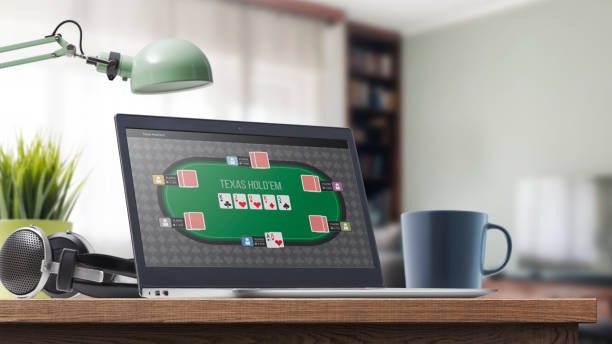
We offer kenzo168 access through Android APK download, iOS browser navigation, and web-app paths so users can load live-dealer tables, sportsbook markets, slots, and esports activity on mobile devices where local law permits.

- Update
- StartFirst Game
- LoginOTP Verification
- SHA256 Match
Our mobile experience prioritises low-data streaming for blackjack, roulette, baccarat, and Dragon Tiger studios. We support account login, payment verification, withdrawal review, and game history from a single phone interface. Our app does not require app-store approval, which means we can push updates and feature changes without external delays.
We keep kenzo168 mobile-first because most of our users access live games, Liga 1 sportsbook slips, and Aviator from phones during commute, work breaks, or home viewing. Our offline cache stores session data and account details so users can check balance and transaction history without a live internet connection.
Our kenzo168 installation paths
We support three main routes: Android APK direct download (no Google Play approval needed), iOS browser bookmark (no App Store submission), and web-app shortcut (responsive design scales to any screen size). Each route leads to the same account, payment methods, and game library.
Android APK
Direct download from our server; install on devices running Android 7 or later.
Learn moreiOS Browser
Visit kenzo168.com in Safari or Chrome; add a home-screen bookmark for quick access.
Learn moreWeb App
Open kenzo168.com on any mobile browser; responsive layout adapts to portrait or landscape mode.
Learn moreOur kenzo168 mobile setup steps
-
Download the APK or open the browser
For Android, download our APK file from our server; for iOS or web, open Safari, Chrome, or your preferred browser and navigate to kenzo168.com.
-
Install or bookmark
Android users tap the APK and confirm installation; iOS users add a home-screen bookmark; web users keep kenzo168.com in browser history.
-
Register or log in
Enter your username, email, mobile, and password; or sign in if you already hold a kenzo168 account.
-
Verify and start
Complete KYC checks, add a payment method such as DANAe-walletor mobile bankingthen access live-dealer tables and sportsbook markets.

Our kenzo168 app versus browser experience
Our kenzo168 app stores offline session cache so users can view previous bets, account balance, and withdrawal history without active internet. Push notifications alert users to settlement outcomes on Piala AFF markets, live-dealer table availability, and payment status. App users often experience faster table load times because the app keeps game assets in local memory instead of re-downloading on each session. The browser experience offers equal functionality but requires each page load to fetch fresh data; it works on any device without installation and avoids device storage use. Both paths connect to the same account, so users can switch between app and browser without losing activity history.
Our kenzo168 device compatibility
We support Android 7.0 and later for APK installation. iOS users require iOS 12 or later to access our mobile browser version. Our responsive web design works on phones with screens from 4.5 inches upward and tablets from 7 inches. We do not publish exact device lists, but older devices may experience slower table streaming or reduced feature support. Users can test compatibility by opening kenzo168.com in their device's native browser before downloading the APK.
Our kenzo168 common install issues
Android users may see a warning that "Unknown sources" are required before APK installation. This is a system safety feature; to proceed, users must open Settings → Security → Unknown sources and enable installation from external files. Some devices may show a certificate warning; this is normal for direct APK downloads and does not indicate a security risk. If the APK fails to install, check that your device has sufficient free storage (at least 100 MB) and that no previous installation is blocking the update. iOS users who cannot bookmark the site should ensure that Safari privacy settings allow bookmark saving and that the home screen has free space. Web users experiencing slow table streaming should check their mobile internet speed and consider connecting to a more stable Wi-Fi network.
Our kenzo168 data, permissions, and account security
Our app and browser versions both use standard HTTPS encryption for login, payment entry, and account data. We request device permissions only for notifications and camera access (camera is used during identity verification if needed). Our offline cache stores encrypted session tokens and account balance snapshots; this data is cleared when users sign out or uninstall the app. We do not sell, share, or track user behaviour outside the kenzo168 platform. Users can review our full data handling in our Privacy policyWe recommend enabling two-factor authentication in the account settings and changing your password every 90 days. If you suspect unauthorised access, log out of all devices immediately and request a password reset from the login page.
Our kenzo168 mobile experience is built for live-dealer streaming, low-data regions, and account security. We keep updates frequent and do not require app-store approval.
Our kenzo168 app support and updates
We release app updates regularly to improve streaming quality, add game features, and patch security issues. Users can check for updates inside the app settings or by re-downloading the latest APK from our server. Browser users automatically receive the latest version when they visit kenzo168.com. If you experience crashes, freezing, or streaming errors, clear your app cache, restart your device, and try again. For persistent issues, contact our support team through the in-app help menu.